

You opened this tab because you’re tired.
Tired of staring at a blank screen every Tuesday. Tired of posting something rushed on Thursday and immediately wishing you hadn’t. Tired of watching other creators post three times a day across five platforms while you struggle to get out one decent caption a week.
Here’s the part nobody tells you: most of those creators are not working harder than you. They are not more creative, more disciplined, or more inspired. They built a system. And in 2026, that system almost always runs on Claude AI.
This guide breaks down exactly how to use Claude AI for social media content creation, from your very first prompt to a fully automated 30-day content calendar. You will learn the frameworks, the prompt structures, the platform-specific playbooks, and the anti-AI editing checklist that keeps every post sounding like it came from a person, not a tool.
Whether you are a solo creator, a coach, a solopreneur, or a small business owner managing your own social presence, this is the most practical guide to Claude AI content creation you will find anywhere.
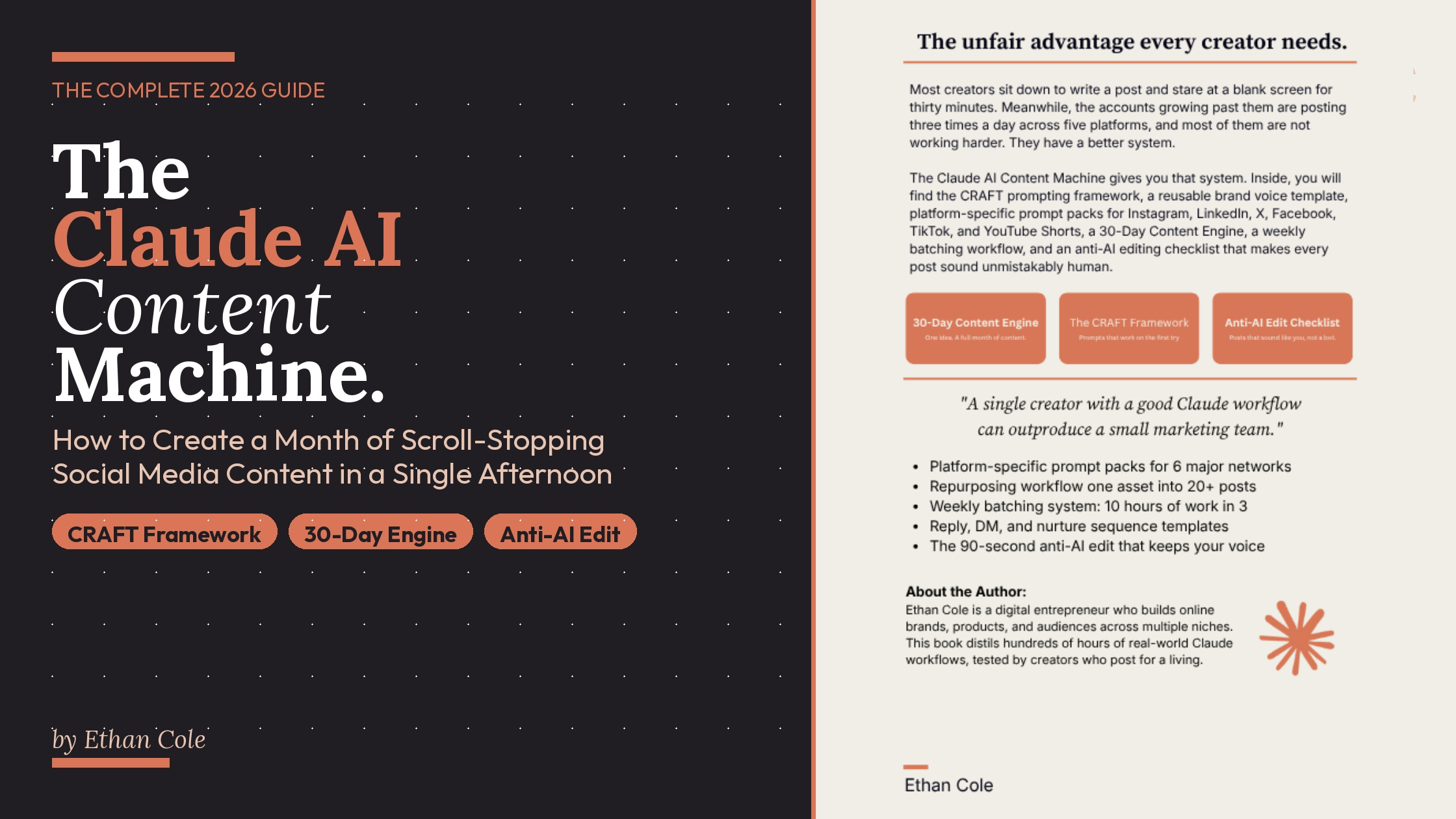
Want the complete system in one place? The Claude AI Content Machine by Ethan Cole gives you every framework, prompt, and workflow in this guide — plus 10 full chapters covering Instagram, LinkedIn, TikTok, YouTube Shorts, repurposing, batching, and monetization. Grab your copy on Amazon →
What Is Claude AI and Why Is It Different for Content Creation?
Before we get into prompts and frameworks, it helps to understand what you are actually working with.
Claude is an AI assistant built by Anthropic. You interact with it through a conversational interface, the same way you would message a colleague. What makes Claude different from other AI writing tools is a quality that is hard to describe but immediately obvious when you use it: it writes like a person thinks.
Where other AI tools tend to produce polished, over-structured, slightly robotic prose, Claude produces writing with natural rhythm, varied sentence length, and an ear for how real people talk. That quality matters enormously for social media, where your audience can spot AI-generated content from the first two lines and will scroll past it without a second thought.
Average task completion time for content creation drops from roughly three hours without AI assistance to approximately fifteen minutes with Claude — a reduction of around 92 percent. But raw speed is not the point. The point is that Claude, when prompted correctly, produces content that still sounds like you wrote it yourself.
That “when prompted correctly” part is doing a lot of work in that sentence. It is also exactly what most creators get wrong.
Why Most Creators Get Weak Results from Claude AI
Here is the number one mistake people make when they start using Claude for social media content: they treat it like a search engine.
They type something like “Write me five Instagram captions about productivity” and are confused when the output sounds like every other generic AI caption flooding the internet.
A prompt is not a search query. It is a creative brief. Think of yourself as a director briefing a writer. The more specific and detailed your brief, the better the work. The vaguer the brief, the more generic the output.
Most people use AI in what is called zero-shot mode — simply asking for what they want without providing any examples. This forces the AI to guess your preferred style, often resulting in generic, robotic output.
The fix is a structured prompting system. Which brings us to CRAFT.
The CRAFT Prompting Framework for Social Media Content
CRAFT is the prompting method that works for every single piece of content generated with Claude. It stands for Context, Role, Audience, Format, and Tone. Any prompt that includes all five elements will consistently outperform a prompt that leaves even one of them out.
C: Context
Tell Claude what is actually going on. What platform is this for? What is the goal of the post? Is this part of a launch, a regular educational series, or a promotional push? Context changes everything about the output.
R: Role
Tell Claude who to be. A fitness coach writing for beginners sounds completely different from a fitness coach writing for competitive athletes. A luxury brand ghostwriter produces different copy from a scrappy startup founder. Giving Claude a clear role anchors the voice instantly.
A: Audience
Describe who is reading this in specific terms. Age range alone is not enough. Include their pain points, their desires, what they already know, and what they are skeptical of. The sharper your audience description, the sharper the output.
F: Format
Tell Claude exactly what structure you want back. A ten-slide carousel? A ninety-second script? A caption under one hundred fifty characters? If you do not specify a format, Claude will choose one for you, and it will usually choose the wrong one.
T: Tone
Describe how the post should sound. Warm and direct. Dry and slightly academic. Casual with a bit of sarcasm. Better yet, paste in three posts you love as reference material. Your own past work is the best tone guide you can give it.
Here is the same request, once without CRAFT and once with it.
Without CRAFT:
Write me a LinkedIn post about burnout.
With CRAFT:
Context: I am writing a LinkedIn post for this week. My goal is saves and reposts, not just likes. Role: Act as a ghostwriter who specializes in executive thought leadership. Audience: Founders and team leaders aged 30 to 50 who are currently experiencing burnout but would never use that word publicly. They prefer strategic framing over emotional vulnerability. Format: A single LinkedIn post, 1,200 to 1,500 characters, four short paragraphs, no bullet points, ending with one reflective question. Tone: Measured, thoughtful, slightly counterintuitive. Avoid clichés like “hustle culture” and “fill your cup.”
The second prompt produces a post you can use. The first produces a post you will delete.
How to Build Your Brand Voice Inside Claude
Voice is the thing that separates creators who grow from creators who plateau. And it is the thing AI struggles with most when given no guidance.
Here is the good news: Claude can write in your voice. It just needs reference material, and most creators never provide any.
The Brand Voice Template
Before you run a single content prompt, spend one hour filling out this template and pasting it at the top of every new Claude session.
- Three adjectives that describe how you sound. Think direct, warm, dry, measured, irreverent, academic, conversational.
- Three adjectives that describe how you do NOT want to sound. Generic, corporate, inspirational, salesy, hype-y.
- Words and phrases you use often. Include your actual vocabulary, nicknames you have for concepts, phrases your audience recognizes as yours.
- Words you refuse to use. AI writing is full of certain tells: “game-changer,” “unlock,” “level up,” “lean in,” “journey.” If these words make you cringe, put them on the list.
- Your sentence rhythm. Short and punchy? Long and flowing? A deliberate mix?
- Five writing samples you are proud of. This is the most important part. Claude learns your voice by example faster than it learns from description. Five strong samples will outperform five paragraphs of adjectives every time.
Once your voice template is in place, give Claude one warm-up task before any content prompt. Ask it to summarize your voice in a single paragraph. If the summary feels off, correct it before you move on. This two-minute step dramatically improves everything that follows.
The 30-Day Content Engine: Plan a Full Month in One Afternoon
Random posting kills growth. Posting the same idea over and over kills growth faster.
The most effective content strategy for solo creators in 2026 is what I call the 30-Day Content Engine. You pick one anchor theme for the month. Everything you post for thirty days connects back to that theme. Claude does the expansion.
Step 1: Choose Your Anchor Theme
Pick something specific enough to go deep but broad enough to cover thirty posts. Not “productivity.” Something like: “How solo founders can protect their focus in a distraction-designed world.”
Step 2: Generate Ten Sub-Angles
Use this prompt:
You are my content strategist. My anchor theme for the next thirty days is [your theme]. Break this theme into ten sub-angles. Each should explore a distinct facet of the main idea, target a specific audience pain point, and be different enough that a reader will not feel I am repeating myself. For each sub-angle, write one sentence of context and suggest the best content format.
Step 3: Generate Three Post Ideas Per Sub-Angle
Ten sub-angles at three posts each gives you exactly thirty posts. Each one tied to a clear monthly story.
Step 4: Draft Each Post in Your Voice
Run each post idea through a CRAFT prompt with your brand voice template attached. Review, edit, and add your personal details.
Step 5: Drop Into Your Content Calendar
A simple spreadsheet with columns for date, platform, hook, caption, visual idea, CTA, status, and performance notes. Nothing fancy required.
Four hours of planning. Thirty days of connected, strategic content.
Platform-Specific Claude AI Prompts That Actually Work
A caption that performs on Instagram will flop on LinkedIn. A hook that kills on TikTok will go ignored on X. Every platform has its own rhythm, its own character limits, and its own audience mood. Here is how to prompt Claude for each one.
Instagram Captions with Claude AI
Instagram rewards saves more than any other engagement signal. Your caption structure should open with a strong hook, deliver one specific insight in the middle, and close with an invitation.
Prompt:
Write an Instagram caption based on [your idea]. Open with a hook under ten words. Follow with two to three short paragraphs of original insight. End with a soft question to invite comments. Target length: 130 to 180 words. No hashtags in the body. My voice is [paste your voice summary].
LinkedIn Posts with Claude AI
LinkedIn rewards clear opinions, personal stories, and frameworks. Long-form text posts between 1,200 and 1,800 characters tend to get the best reach. White space is your friend.
Prompt:
Write a LinkedIn post based on [your idea]. Open with a one-line hook that challenges a common assumption in my industry. Follow with a short personal story of about 80 words. Then share a three to five point framework, one line each. Close with a single reflective takeaway. No corporate jargon. Sound like a thoughtful operator, not a thought leader. Target: 1,400 characters.
X Threads with Claude AI
X rewards speed, edge, and threads that deliver on their first tweet’s promise.
Prompt:
Write a seven tweet thread based on [your idea]. Tweet one is a hook under 230 characters that promises a specific insight. Tweets two through six deliver the insight in numbered steps, each under 270 characters. Tweet seven is a one-sentence reflection or CTA. No hashtags. No emojis unless they replace a word. Short lines.
TikTok and YouTube Shorts Scripts with Claude AI
Short video is about pacing. The first two seconds determine whether anyone keeps watching.
Prompt:
Write a sixty second video script based on [your idea]. Seconds zero to two: a pattern interrupt hook spoken to camera. Seconds two to ten: state the problem. Seconds ten to fifty: deliver three clear points with visual cues I can film. Seconds fifty to sixty: simple payoff. Spoken style. Short sentences. Contractions. Mark visual cues in brackets. Target: 150 words.
Facebook Posts with Claude AI
Facebook audiences reward warmth and storytelling over information. Longer posts perform better than most creators expect, and emotional openings outperform clever ones.
Prompt:
Write a Facebook post based on [your idea]. Open with a first-person story that places the reader in a relatable moment. Build to one clear insight. End with a question that invites personal stories in the comments. Warm, human tone. 200 to 300 words.
Content Repurposing on Autopilot with Claude AI
The most common mistake creators make is treating every piece of content as a new creation. Three hours to write an Instagram post, posted once, and then abandoned. Meanwhile, that post contained enough raw material for an entire week of content across four platforms.
Repurposing is not laziness. It is how professional content operations actually run.
Here is the full workflow:
Step 1: Paste the full transcript, blog post, or webinar notes into Claude.
Step 2: Use this prompt:
Here is the full content from [describe the source]. Pull out the ten most interesting, specific, or counterintuitive moments. For each one, give me the direct insight, a two-sentence explanation of why it matters, and a suggested short-form format: Instagram carousel, LinkedIn post, X thread, or sixty-second video script.
Step 3: Pick the seven strongest moments and run each through the appropriate platform prompt above.
Step 4: Schedule across the week.
One sixty-minute podcast episode, processed this way, gives a solo creator a full week of content across two platforms. A single blog post gives you three to four days. You are not creating more. You are mining what you already made.
The Weekly Batching System That Changes Everything
Even the best Claude AI workflow breaks down if you try to produce content one post at a time. Batching is what separates creators who are always behind from creators who are always ahead.
Here is a Sunday session structure that works for most solo creators.
Hour one. Paste your brand voice template and anchor theme into Claude. Ask it to summarize your audience and voice in its own words. Correct anything that feels off. You are warming up the session context.
Hour two. Generate five to seven post ideas for the week using a CRAFT prompt. Review the output, pick your favorites, discard the rest. Trust your editorial instincts here. You are not outsourcing your judgment. You are outsourcing the drafting.
Hour three. Generate full posts for your top ideas. Edit each one with the anti-AI checklist below. Drop finished posts into your calendar with dates, platforms, and visual notes.
Three hours. One week of content. No more Tuesday panic.
Two Systems That Make Batching Sustainable
Your Prompt Library. Save every prompt that works in a single, organized document. Hook prompts, caption prompts, script prompts, and repurposing prompts. Every variation you test. You stop rewriting prompts from scratch within a week of starting this habit.
Your Swipe File. Every post you write that performs well, save it. Feed your best-performing captions back into Claude as examples for the next batch. Your own past wins are the best training data for your next session.
How to Make Claude AI Content Sound Human: The Anti-AI Edit
This is the step most people skip and the reason most AI content fails. Claude’s first draft is clean, well-structured, and recognizably not yours. Your job is to make it unmistakably yours.
Run every post through this five-step checklist before publishing.
- Read it out loud. If any sentence sounds like a press release, rewrite it until it sounds like you talking to a friend.
- Replace one generic phrase with something only you would say. A real number, a specific memory, a small confession, an inside reference your audience recognizes.
- Break one tidy sentence on purpose. Start a sentence with And. End one with a fragment. Introduce a small rhythm change. Perfect structure feels algorithmic.
- Cut one adjective. AI loves adjectives. Strong writing uses fewer of them.
- Add one specific detail. Not “a coffee shop.” The third-floor place near your old office, where the Wi-Fi never worked, and you still went back every week anyway.
Those five moves pull any AI draft back toward human. They take ninety seconds. Skip them, and your audience will know.
What to Never Outsource to AI
Some content should always be written by you, with Claude doing nothing more than light editing.
Your origin story. The specific memories and turning points that explain why you do this work. AI cannot know them.
Strong opinions or controversial takes. AI is trained to be diplomatic. Real opinions have edges. If Claude could have written it, it probably should not be your take.
Grief, struggle, or vulnerability. AI can mimic emotional writing, but the result almost always rings hollow. The posts that build the deepest audience trust are the ones that cost you something to write. Keep those for yourself.
Claude AI vs. ChatGPT for Social Media Content: The Real Difference
This comparison comes up constantly, so let me address it directly.
ChatGPT is fast, capable, and familiar to most creators. It is excellent for brainstorming, quick drafts, and broad ideation. Many creators use it as their first pass on ideas.
Claude’s advantage shows up in two specific places: long-form consistency and brand voice adherence. When you give Claude a detailed voice template and ask it to write a 1,500-character LinkedIn post, the output maintains a consistent tone from the first line to the last in a way that ChatGPT tends to drift from. For short captions and quick hooks, the gap is smaller. For longer posts, threads, and repurposing workflows, Claude is noticeably better.
Claude Sonnet produces content that reads as if a human wrote it, not like a marketing algorithm generated it, while other models tend toward a more generic tone unless pushed with very detailed prompts.
That said, the best creators use both. Use ChatGPT to brainstorm and explore angles. Use Claude to draft and refine in your voice. They are tools, not religions.
From Followers to Buyers: Using Claude AI for Engagement and Sales Content
Posting is only half the loop. The other half is what happens after a post goes live. Most creators ignore it completely.
Replies That Build Real Relationships
Use this prompt for batch-drafting comment replies:
Here are ten comments from my latest post. For each one, draft a reply that is two to three sentences, matches my voice, extends the conversation with a genuine thought or question, and never uses phrases like “great point,” “totally agree,” or “thanks so much.”
Edit lightly before posting. Your audience will notice the change within a week.
Pillar Posts That Drive Sales
The bridge from follower to buyer is usually one specific post that names a real problem, shows you understand it deeply, and points gently toward a solution.
Prompt:
Write a LinkedIn pillar post. The problem I am naming is [your problem]. The common misunderstanding around this problem is [describe it]. The real cause is [your insight]. The solution I offer is [brief description]. Format: Long form, 1,500 characters. Open with the problem. Build the case for why common solutions fail. End with a soft mention of how my work addresses this.
One pillar post per week, over two months, will do more for your conversion rate than any growth hack.
Your First 7 Days Using Claude AI for Social Media Content
Reading this guide is one thing. Actually implementing it is another. Here is what your first week should look like.
Day 1. Open Claude at claude.ai. Write your Content Brain: your niche, your audience, your goals, three posts you love, and three creators you want to sound like. Save it in a Google Doc.
Day 2. Fill out your Brand Voice Template. Spend a real hour on it. Include your five best writing samples.
Day 3. Paste both documents into Claude. Ask it to summarize your voice in one paragraph. Refine until it feels right.
Day 4. Pick your anchor theme for the next thirty days. Run the 30-Day Content Engine prompts.
Day 5. Generate and edit your first week of posts using the platform prompts above. Run everyone through the anti-AI checklist.
Day 6. Build your content calendar. Add visual ideas and CTAs for each post.
Day 7. Publish your first post. Reply to every comment using Claude-drafted responses you edit by hand.
By the end of the week, you will have a system. By the end of the month, you will have a habit. By the end of the quarter, you will have compounding results.
Frequently Asked Questions About Claude AI and Social Media
Is Claude AI free to use?
Claude offers a free tier at claude.ai with generous usage limits for individual creators. The Pro plan at $20 per month unlocks higher limits and access to more advanced models, which is worth it if you are running weekly batching sessions. For most solo creators starting out, the free tier is enough to test the full system described in this guide.
Will my audience know my content was made with AI?
Only if you let Claude’s first draft through without editing. The anti-AI checklist in this guide exists specifically to prevent that. Creators who run every post through that five-step edit process consistently report that their audience cannot tell the difference. Creators who paste Claude’s output directly into their feed without reading it will get spotted within days.
Can Claude write in my exact voice?
Yes, with the right setup. The brand voice template and five sample posts described in this guide are what make the difference. Without them, Claude writes in its default voice. With them, it writes in yours. Most creators who are unhappy with Claude’s output have simply skipped this step.
How long does it take to batch a full month of content with Claude?
Once your system is set up, most solo creators batch a full month of content in four to six hours. The first time you do it will take longer while you build your prompt library. By the third month, it becomes a predictable Sunday routine.
What platforms does Claude work best for?
Claude handles long-form platforms best: LinkedIn posts, email newsletters, blog content, YouTube video scripts. For short-form social like Instagram captions, TikTok scripts, and X threads, it performs well but requires tighter formatting instructions in the prompt. The platform-specific prompts in this guide are designed to bridge that gap.
The Bottom Line on Claude AI for Social Media Content Creation
Most creators treat social media content like a chore that has to be done fresh every day. That mindset is the reason they burn out, post inconsistently, and never build the kind of momentum that compounds into real growth.
The creators winning in 2026 treat content creation like a system. They plan in anchor themes. They batch in blocks. They prompt with precision. They edit with their own voice. And they use Claude AI as the engine that makes the whole machine run without burning out the operator.
You now have everything you need to build that system. The CRAFT framework. The brand voice template. The 30-Day Content Engine. Platform-specific prompts for Instagram, LinkedIn, X, TikTok, Facebook, and YouTube Shorts. The repurposing workflow. The batching session structure. The anti-AI editing checklist. The engagement and sales templates.
The only thing left is to actually open Claude and start.
Want the Complete System in One Book?

If you want all of this in one place, with copy-paste prompts, a fillable brand voice template, a full 30-day content calendar, and ten complete chapters of step-by-step instruction, The Claude AI Content Machine is the book built specifically for solo creators, coaches, and solopreneurs who want a complete Claude-powered content system.
It covers everything in this guide and more, including:
- Chapter 4: The full 30-Day Content Engine with a real-world example from a yoga teacher who went from posting randomly to running a content strategy that felt like a course
- Chapter 5: Platform-by-platform prompt packs for all six major networks
- Chapter 7: The complete repurposing workflow that turns one podcast episode into a full week of posts
- Chapter 9: How to use Claude for replies, DMs, nurture sequences, and turning followers into paying customers
- Chapter 10: Staying unmistakably human in an AI-flooded world
Get The Claude AI Content Machine on Amazon →
If you have already read it and found it useful, leaving a quick, honest review on Amazon helps other creators find it. It takes sixty seconds, and it makes a real difference.